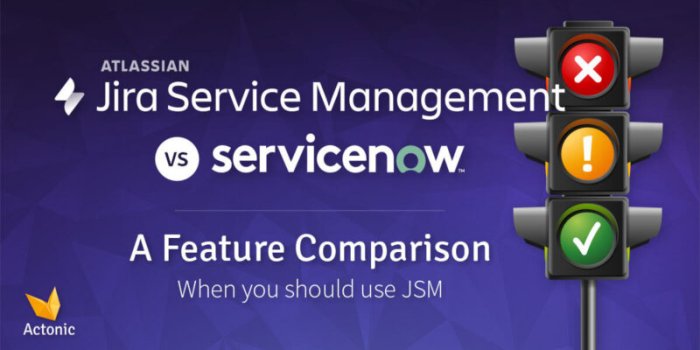
Jira Software vs service management – choosing the right tool for your team’s needs is crucial. This exploration dives deep into the functionalities, differences, and considerations surrounding these two powerful platforms. We’ll examine their strengths, weaknesses, and potential integration points to help you determine which aligns best with your workflow and goals. The discussion will cover everything from core functionalities to cost implications and scalability.
Jira Software excels at agile project management, task tracking, and issue resolution, while service management platforms are designed for incident tracking, service request management, and overall IT service delivery. Understanding these core differences is key to choosing the optimal solution for your organization. This comparison will help you understand the nuanced ways these platforms support different workflows and needs.
Introduction to Jira Software and Service Management
Jira Software and Service Management are powerful tools for project management and service delivery, respectively. While both leverage agile principles and aim to streamline workflows, they cater to distinct needs. Jira Software excels at managing complex projects, fostering collaboration, and tracking progress, whereas Service Management focuses on handling requests, troubleshooting issues, and ensuring smooth service operations. Understanding their core functionalities, use cases, and user interfaces is key to leveraging their potential effectively.Jira Software, a cornerstone of agile development, provides a comprehensive platform for managing projects.
Service Management systems, on the other hand, are designed to efficiently handle service requests and incidents. Knowing their specific roles allows organizations to deploy the right tool for the right job, optimizing their workflow and improving overall efficiency.
Jira Software Core Functionalities
Jira Software’s strength lies in its robust project management capabilities. It facilitates the creation and management of tasks, issues, and sprints, allowing teams to work collaboratively and track progress towards project goals. Key features include issue tracking, agile workflows, and reporting dashboards. This facilitates transparency and accountability, enabling teams to adjust strategies in real-time. Examples include managing tasks for software development, product enhancements, or even marketing campaigns.
Service Management System Fundamentals
Service Management systems are primarily focused on handling requests and incidents related to services. These systems track requests, assign them to technicians, monitor progress, and escalate issues when necessary. They emphasize service level agreements (SLAs), ensuring that service levels are met and that customers are satisfied. A crucial aspect is the ability to track and analyze service performance over time.
Choosing between Jira Software and service management tools often boils down to a similar struggle faced in marketing: the war between focusing on Return on Ad Spend (ROAS) versus driving overall ad volume. Just like maximizing ROAS might mean sacrificing volume, and vice versa, selecting the right tool depends on your specific needs. Ultimately, the best approach depends on understanding your unique business goals, which might be optimized by exploring the war between roas versus volume for a deeper perspective on similar balancing acts.
Jira Software excels at project management, while service management platforms are more tailored for customer service operations, making the selection crucial for a successful workflow.
This helps identify trends, pinpoint areas for improvement, and ultimately enhance service delivery.
Use Cases for Jira Software and Service Management
The typical use cases for Jira Software and Service Management differ significantly. Jira Software is ideal for projects that require detailed task management, agile methodologies, and iterative development, like software development, product enhancements, or marketing campaigns. Conversely, Service Management systems are more appropriate for managing service requests, incidents, and issues, like IT help desks, customer support, or internal service departments.
User Interface Differences
The user interfaces of Jira Software and Service Management systems are designed to support their distinct functions. Jira Software’s interface is geared towards agile development, with a focus on task management, sprints, and reporting. Service Management systems, on the other hand, often have a more structured interface focused on request management, issue tracking, and service level agreements.
Key Features Comparison
| Feature | Jira Software | Service Management |
|---|---|---|
| Example | Agile Project Management | Incident Tracking |
| Example | Task Management | Service Request Management |
Core Differences in Functionality
Jira Software and Jira Service Management, while both part of the Atlassian ecosystem, cater to distinct needs. Jira Software is primarily for development teams, focusing on project management and task tracking for software development. Jira Service Management, on the other hand, is designed for service desks, enabling them to manage service requests, incidents, and support tickets. Understanding these fundamental differences is crucial for selecting the right tool for your specific workflow.Jira Software’s strength lies in its ability to track and manage development tasks with precision, whereas Jira Service Management shines in its support for handling service requests and resolving issues within a customer-centric framework.
This divergence in core functionalities translates to significant variations in their task management approaches, issue tracking, service handling, and reporting tools.
Task Management Capabilities
Jira Software’s task management is tailored for development sprints and agile methodologies. Tasks are broken down into smaller, manageable items, often with specific dependencies and deadlines. This granular approach allows developers to track progress effectively and ensure timely delivery of software features. Jira Service Management, conversely, emphasizes a broader approach to task management, supporting the intake, prioritization, and resolution of a wider variety of requests, encompassing both technical and non-technical issues.
Issue Tracking and Resolution
Jira Software excels at issue tracking within a development context. Issues are often bugs, feature requests, or tasks needing development attention. Its robust issue tracking system facilitates the creation, assignment, and resolution of these issues with detailed descriptions, attachments, and status updates. Jira Service Management handles issue tracking for service requests and incidents. It focuses on capturing the customer’s need, assigning the request to the appropriate agent, and documenting the resolution process.
Handling Service Requests and Incidents
Jira Service Management is specifically designed to handle service requests and incidents. It incorporates features to manage service catalogs, track incident resolutions, and automate workflows for efficient support. Jira Software, while capable of handling certain requests, lacks the specialized service management features of its counterpart. This difference is pivotal for teams needing to track and resolve customer issues and requests in a structured manner.
Reporting and Analytics
Jira Software’s reporting capabilities are focused on project progress, sprint performance, and team productivity. It provides various dashboards and reports to monitor development progress and identify bottlenecks. Jira Service Management, on the other hand, provides reports on service request volume, resolution times, and agent performance. This allows service desks to identify trends, optimize processes, and improve overall service delivery.
Collaboration and Communication
Both platforms facilitate collaboration through comments, notifications, and shared workspaces. Jira Software often relies on direct communication within development teams. Jira Service Management prioritizes communication between support agents and customers, enabling clear resolution pathways and feedback loops. The different communication needs drive the platform design.
Comparison of Workflows
| Task Type | Jira Software Workflow | Jira Service Management Workflow |
|---|---|---|
| Bug Fix | Identified in testing, logged as an issue, assigned to a developer, fixed, retested, closed. | Logged as a service request or incident, assigned to a support agent, resolved, confirmed by customer, closed. |
| Feature Request | Logged as an issue, discussed by the development team, prioritized, planned, developed, tested, deployed. | Logged as a service request, prioritized, assigned to a development team or individual, resolved, validated by the customer, closed. |
Integration and Interoperability
Jira Software and Service Management platforms, while powerful individually, gain even greater value when seamlessly integrated. Effective integration streamlines workflows, improves data visibility, and ultimately boosts operational efficiency. This synergy eliminates data silos and empowers users with a holistic view of project progress and service requests. This allows for better decision-making and faster resolution of issues.The key to unlocking this potential lies in robust data exchange mechanisms and a well-defined integration architecture.
Different methods exist, each with its own strengths and limitations. Careful consideration of these aspects is crucial to achieving a successful integration.
Choosing between Jira Software and service management tools can feel tricky, especially when your team is stretched thin. But the good news is, like the jury is in you can grow your firm in a down market , sometimes, the best strategies for growth in a challenging market involve streamlining processes. Ultimately, the right choice depends on your specific needs and how you intend to manage projects and customer support effectively.
A well-structured system will empower your team to tackle any challenge, regardless of the market conditions.
Integration Possibilities, Jira software vs service management
Jira Software excels at tracking development tasks, while service management platforms are adept at managing service requests and troubleshooting incidents. Integrating these two systems allows for the automatic linking of development issues with service requests. This tight coupling provides a more comprehensive understanding of the impact of development changes on service operations. This allows teams to anticipate potential issues and resolve them proactively.
Methods for Data Exchange
Several methods facilitate data exchange between Jira Software and service management systems. API integrations are a common approach, allowing programmatic access to data in both systems. This enables the automation of tasks, such as creating service requests from Jira tickets or updating Jira issues based on service request status. Custom scripting or middleware solutions can also be implemented to facilitate complex data transformations and custom logic.
These custom solutions often provide greater flexibility but require more upfront development effort.
Choosing between Jira software and service management tools can be tricky. Ultimately, the best choice depends on your specific needs. For instance, if you’re looking to improve your sales processes, leveraging Salesforce’s capabilities can significantly boost business success, as detailed in boost business success with salesforce improvement. However, if you’re focused on project management, Jira might be a more suitable option, providing a robust platform for tracking tasks and workflows within your organization.
Examples of Successful Integrations
Numerous companies have successfully integrated Jira Software with service management platforms. For instance, a software company might use Jira to track bug fixes and enhancements, automatically generating service requests in a service management system when a bug impacts a specific service. Another example is using Jira to manage the development of a new feature and then linking service requests related to that feature to track user feedback and identify potential problems during the implementation phase.
These examples illustrate the tangible benefits of streamlined workflows and improved collaboration.
Challenges in Integration
Despite the advantages, integration isn’t without challenges. Data mapping and transformation can be complex, requiring careful consideration of the specific data structures and formats in both systems. Security concerns also arise when transferring sensitive information between systems. The complexity of integrating different systems can increase project costs and timelines. Furthermore, the technical expertise required for successful implementation can be a significant barrier.
Implications of Poor Integration
Poor integration can lead to several detrimental consequences. Data discrepancies, manual data entry, and inefficient workflows can negatively impact team productivity. This often leads to duplicated efforts, missed deadlines, and ultimately, decreased customer satisfaction. A lack of visibility into the interconnectedness of development and service operations can lead to slow issue resolution and increased support costs.
Integration Architecture Design
The diagram illustrates a possible integration architecture. It depicts Jira Software, a service management system (e.g., ServiceNow), and a middleware component (or API). The middleware acts as a bridge between the two systems, handling data exchange and transformations. This architecture ensures seamless communication and data consistency between the systems. The design is scalable and can be adapted to accommodate future needs and features.
User Experience and Adoption

Jira Software and Jira Service Management, while both part of the Atlassian ecosystem, cater to different user needs and workflows. Understanding the distinct user experiences and adoption strategies is crucial for successful implementation and maximizing the return on investment. The varying target audiences and learning curves require tailored approaches to training and support.
Typical User Experience
Jira Software is primarily designed for development teams, focusing on agile workflows and project management. Its interface is typically more complex, with a multitude of features and functionalities geared towards software development processes. Jira Service Management, on the other hand, is oriented towards service desk interactions and support teams. Its interface is generally more streamlined and user-friendly, prioritizing ease of use for handling customer requests and tickets.
Learning Curve
The learning curve for Jira Software is steeper, requiring a more comprehensive understanding of agile methodologies and software development principles. Users need to become familiar with various features, such as sprints, backlogs, and Kanban boards. Jira Service Management, conversely, has a relatively shorter learning curve. Users can generally grasp the fundamentals of ticket creation, assignment, and resolution more quickly.
Training materials and onboarding programs play a crucial role in mitigating these differences.
Target Audience
Jira Software targets development teams, product owners, scrum masters, and other roles involved in software development lifecycle. Its intricate features cater to the specific needs of project management and agile development. Jira Service Management is geared towards customer service representatives, support teams, IT help desks, and other personnel who interact with users seeking assistance. This diverse group benefits from its straightforward approach to managing requests and resolving issues.
Best Practices for Training Users
Effective training programs are essential for both platforms. For Jira Software, interactive workshops focusing on agile principles and hands-on exercises are beneficial. For Jira Service Management, training should emphasize the importance of clear communication, efficient ticket management, and problem-solving. Phased implementation, starting with small, manageable groups, can help in gradual adoption and feedback collection. Regular refresher courses can reinforce newly acquired knowledge and enhance overall efficiency.
Benefits of User-Friendly Interfaces
A user-friendly interface significantly impacts adoption rates and user satisfaction. Intuitive designs reduce the learning curve and encourage active participation. This translates into faster issue resolution, improved team collaboration, and overall increased efficiency. A well-structured interface fosters a positive user experience, ultimately leading to higher user engagement and retention.
User Journey Map Comparison
| Step | Jira Software User (Developer) | Jira Service Management User (Support Agent) |
|---|---|---|
| Identifying a task/issue | Reviews project backlog, identifies tasks to be completed. | Receives customer request via email, phone, or ticketing system. |
| Creating a task/ticket | Creates a new issue in the system, adds details and relevant information. | Creates a new ticket, provides necessary details, and categorizes the request. |
| Assigning/Tracking | Assigns the task to a team member, tracks progress using various dashboards and reports. | Assigns the ticket to a relevant support technician, tracks its status, and communicates updates. |
| Resolution/Closure | Completes the task, updates the status in the system. | Resolves the issue, documents the solution, and closes the ticket. |
A well-defined user journey map provides a clear visual representation of the user experience for each system. This aids in identifying potential pain points and optimizing the workflow.
Cost and Implementation Considerations
Choosing between Jira Software and a dedicated service management system involves careful evaluation of costs and implementation complexities. Both platforms offer robust capabilities, but their pricing models and implementation approaches differ significantly. Understanding these factors is crucial for making an informed decision that aligns with your organization’s budget and needs.
Typical Costs Associated with Jira Software
Jira Software’s pricing structure is based on a subscription model, with various tiers offering different features and user limits. The cost depends on the number of users, the chosen plan, and any add-on features required. Basic plans often include essential functionalities, but more extensive features and increased user capacity can lead to higher subscription fees. For example, a team of 10 users might find the “Standard” plan sufficient, while a larger enterprise with 50+ users might need the “Premium” plan with its advanced features.
Add-ons like specific integrations or custom development can further increase the overall cost.
Breakdown of Costs for Service Management Systems
Service management systems, such as those offered by companies like ServiceNow or BMC, also utilize a subscription model. However, these often involve more complex pricing structures that account for factors like the size of the organization, the number of supported services, and the integration with other existing systems. Licensing costs can vary significantly based on the scope of functionalities and the number of users needing access.
Furthermore, implementation often involves configuring the system to integrate with existing infrastructure, potentially leading to additional consulting or development costs. For instance, a small business might require a more basic plan with limited features, while a large enterprise might need a tailored package with extensive features and custom configurations.
Comparison of Long-Term Costs
Long-term costs aren’t just about the initial investment. Consider the ongoing support, maintenance, and potential training expenses. Jira Software’s relatively straightforward subscription model can lead to predictable, recurring costs. However, service management systems, with their often more intricate pricing and implementation processes, can have unpredictable long-term costs, especially if extensive customization or ongoing maintenance is required.

Implementation Process
The implementation process for both platforms involves various steps. For Jira Software, implementation typically involves setting up the software, configuring workflows, and training users. The process for service management systems often necessitates a more extensive implementation phase, including system configuration, data migration, integration with existing systems, and detailed training programs.
Potential ROI for Each System
The ROI for both systems depends on several factors, including the specific needs of the organization, the success of user adoption, and the efficiency gains achieved. Jira Software often delivers a quicker ROI by streamlining development processes and improving collaboration. Service management systems can generate a significant ROI by improving service delivery, reducing operational costs, and improving customer satisfaction.
However, this often depends on a successful implementation and efficient usage of the system.
Costs in a Table
| Category | Jira Software | Service Management |
|---|---|---|
| Software Cost | Variable, based on plan and user count. Example: $10/user/month for basic plan | Variable, based on features and user count. Example: $20/user/month for a mid-range plan |
| Training Cost | Can range from free online resources to external training programs. | Often requires dedicated training sessions, potentially involving external consultants. |
| Support Cost | Typically included in the subscription cost, with varying levels of support available. | Support costs can vary depending on the support level and the complexity of the system. |
Scalability and Performance
Jira Software and Service Management systems need to handle varying user loads and data volumes effectively. Their scalability and performance directly impact user experience and overall efficiency. Understanding how these systems react to increasing demands is crucial for organizations planning to use them. This section delves into the specifics of scalability and performance for both platforms.
Jira Software Scalability
Jira Software’s scalability is robust, allowing for growth in user base and project complexity. Its architecture is designed to handle a substantial number of users and projects simultaneously. Key factors contributing to this include:
- Modular Design: Jira Software is modular, allowing for adjustments to the system based on specific needs. This flexibility enables adaptation to changing requirements and user loads.
- Cloud-Based Scalability: Cloud-based versions of Jira Software often automatically scale resources as needed. This ensures minimal performance degradation even with large increases in user load.
- Data Partitioning: Data is often partitioned to improve query performance and reduce the impact of large datasets. This allows the system to handle larger volumes of data more efficiently.
Service Management System Performance
Service management systems, often used for ticketing and incident management, exhibit different performance characteristics than project management systems. Performance is significantly affected by the number of concurrent requests, complexity of workflows, and data volume. Factors affecting performance include:
- Real-time Updates: Service management systems often need to display and update information in real-time, affecting their responsiveness. As the number of users and tickets increases, the system needs to maintain speed to ensure user satisfaction.
- Complex Workflows: Service management systems frequently involve complex workflows that need to be processed efficiently. These workflows often require multiple steps and integrations with other systems.
- Data Handling: The handling of large volumes of service requests and associated data is crucial. Data normalization, indexing, and optimized database queries are critical for performance in this context.
Impact of Increasing User Volume and Data Size
Increased user volume and data size can impact both platforms. In Jira Software, a surge in concurrent users might lead to slower issue creation or update times, impacting team workflow. In service management, a large number of concurrent tickets can cause delays in ticket resolution or responses.
Performance Optimization Options
Optimization strategies for both platforms include:
- Caching: Caching frequently accessed data can significantly improve response times for both Jira Software and service management systems.
- Indexing: Optimizing database indexes can speed up data retrieval, directly improving performance in both scenarios.
- Load Balancing: Distributing user load across multiple servers can prevent performance bottlenecks, especially in cloud-based systems.
- Workflow Optimization: Streamlining workflows can reduce processing time and improve response times in service management systems.
Performance Differences with Varying User Loads
The performance difference between Jira Software and service management systems under varying user loads is notable. A hypothetical graph illustrating this difference would show Jira Software maintaining consistent performance even with significant increases in user volume, thanks to its modular design and cloud scalability. Conversely, a service management system might exhibit a more pronounced performance drop-off as the number of concurrent tickets increases.
This difference is due to the nature of the requests and data handled in each system.
Choosing the Right Solution
Deciding between Jira Software and Jira Service Management hinges on understanding your specific needs. Both platforms are powerful tools, but they cater to different workflows and objectives. Careful consideration of your team’s processes, project types, and support requirements is crucial in making the right choice. One size does not fit all, and a thoughtful evaluation is key to maximizing efficiency and ROI.A key differentiator is whether you’re primarily focused on project management or service delivery.
Jira Software excels in project management, while Jira Service Management is better suited for handling service requests and issues. Understanding these distinct strengths is the first step in determining the optimal solution for your organization.
Factors to Consider in the Decision Process
The decision process should encompass a comprehensive assessment of your team’s existing workflows, desired outcomes, and anticipated growth. This holistic approach ensures that the chosen platform aligns perfectly with your organizational needs.
- Project Complexity and Scope: Projects with intricate dependencies, multiple stakeholders, and extensive documentation benefit from Jira Software’s robust project management features. For instance, software development teams requiring detailed task tracking, version control, and agile methodologies often find Jira Software to be a more effective solution.
- Service Request Volume and Complexity: Organizations with a high volume of service requests, intricate issue resolution processes, and a need for formal incident management will likely find Jira Service Management to be a better fit. For example, a company providing technical support to a large customer base, with a need to track and manage tickets, resolutions, and knowledge base articles, would benefit from the structured workflow and support capabilities of Jira Service Management.
- Team Collaboration Needs: Jira Software fosters collaboration through its agile features and task management tools. If your teams primarily work on projects and require robust collaboration tools, Jira Software is well-suited. However, for teams needing a centralized platform for managing service requests, knowledge sharing, and issue resolution, Jira Service Management offers better integration and collaboration tools.
Specific Use Cases for Jira Software
Jira Software is the ideal choice for teams focused on project management and development.
- Software Development Projects: Jira Software excels in managing the various stages of software development projects, from requirements gathering to testing and deployment. It allows for clear task assignment, progress tracking, and effective communication within the development team.
- Agile Methodologies: Jira Software’s agile features, including sprints, boards, and reporting, streamline project execution within an agile framework. Teams adopting Scrum or Kanban methodologies find Jira Software’s visual representations and task management capabilities invaluable.
- Product Development: Product development teams benefit from Jira Software’s ability to track features, manage user stories, and monitor progress throughout the product lifecycle. This structured approach ensures that projects align with product roadmap goals.
Specific Use Cases for Jira Service Management
Jira Service Management is tailored for organizations requiring a robust service management platform.
- IT Support Departments: Jira Service Management efficiently manages IT support requests, including incidents, problems, and changes. It allows for ticket assignment, resolution tracking, and knowledge base management, ultimately improving response times and resolution efficiency.
- Customer Support: Organizations providing customer support can leverage Jira Service Management to handle a high volume of requests, track issues, and manage escalations. This structured approach improves customer satisfaction and reduces resolution times.
- Internal Service Desk: Jira Service Management streamlines internal service requests, providing a central platform for employees to report issues and receive assistance. This facilitates efficient problem resolution and promotes smooth internal operations.
Decision Matrix
| Factor | Jira Software | Jira Service Management |
|---|---|---|
| Project Focus | High | Low |
| Service Requests | Low | High |
| Collaboration Needs | Strong | Strong |
| Scalability | Good | Excellent |
| Use Case | Development, Agile Projects | Support, Service Desk |
Conclusion: Jira Software Vs Service Management
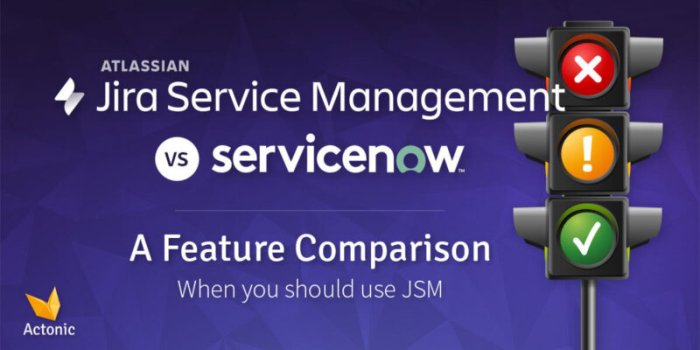
Ultimately, the decision between Jira Software and a service management system hinges on your specific needs and priorities. Jira shines when your primary focus is agile development and project management, while service management is ideal for organizations prioritizing efficient IT service delivery. This comparison has provided a comprehensive overview of the core features, potential integrations, and practical considerations, enabling a more informed decision-making process.