Best practices for software testing are crucial for developing high-quality, reliable software. This guide delves into essential strategies, from planning and test case design to environment setup, defect management, and automation. We’ll explore various testing levels, methodologies, and tools, ultimately equipping you with the knowledge to implement robust testing procedures.
Effective software testing is more than just a checklist; it’s a proactive approach to ensuring the software meets user needs and expectations. By understanding best practices, developers and testers can prevent costly errors later in the development cycle. This in-depth exploration of testing methodologies, from the initial planning stages to the final deployment, highlights the importance of each phase.
Introduction to Software Testing Best Practices
Software testing best practices are a set of guidelines and techniques that aim to improve the quality and reliability of software. They encompass a wide range of activities, from planning and design to execution and analysis, ensuring that software meets its intended requirements and performs as expected. Adhering to these practices is crucial for minimizing defects, reducing development costs, and ultimately, delivering a high-quality product to users.Software testing best practices are not merely optional additions to the development process; they are fundamental to producing robust and dependable software.
Ignoring these practices can lead to significant problems, including increased debugging time, higher maintenance costs, and ultimately, user dissatisfaction. Following established best practices promotes a systematic and methodical approach to testing, ensuring comprehensive coverage of potential issues and providing a foundation for building trust in the software’s functionality.
Definition of Software Testing Best Practices
Software testing best practices are a collection of established guidelines, techniques, and methodologies that, when followed, improve the effectiveness and efficiency of software testing. These practices aim to ensure that software meets its requirements, functions as expected, and is free of defects. They include processes for test planning, design, execution, and reporting.
Importance of Adhering to Best Practices
Adherence to best practices is critical for several reasons. It streamlines the testing process, leading to more efficient use of resources. This efficiency, in turn, contributes to reduced development costs and faster time-to-market. Crucially, adhering to best practices leads to a more comprehensive and thorough evaluation of the software, thereby minimizing the risk of defects escaping to production environments.
This reduces the chance of costly issues arising after the software is released to users.
Benefits of Using Best Practices for Software Testing
The benefits of employing software testing best practices are numerous and far-reaching. These benefits extend beyond simply detecting defects; they encompass the overall improvement of the software development lifecycle. Using best practices leads to a more reliable product, a reduction in post-release issues, and enhanced user satisfaction. The use of best practices also fosters a more organized and methodical approach to testing, making the entire development process more efficient.
Software Testing Levels
A structured approach to testing often involves different levels of testing, each targeting specific aspects of the software. Understanding these levels is crucial for effective software testing.
| Testing Level | Description | Focus |
|---|---|---|
| Unit Testing | Individual components or modules are tested in isolation. | Functionality of individual units/modules. |
| Integration Testing | Multiple units or modules are combined and tested together. | Interaction between units/modules. |
| System Testing | The entire system is tested as a whole. | System functionality, performance, and compatibility. |
| Acceptance Testing | The system is tested from the user’s perspective to ensure it meets their requirements. | User acceptance, usability, and overall satisfaction. |
Planning and Test Strategy

A robust software testing project hinges on meticulous planning and a well-defined strategy. Effective planning encompasses resource allocation, timeline management, and clear communication of deliverables. This lays the groundwork for successful testing, enabling teams to identify potential issues early, optimize testing efforts, and ultimately produce a higher quality product. A strategic approach to testing involves considering various methodologies and approaches, tailoring the plan to the specific project needs.This section delves into the crucial aspects of planning a software testing project, from defining resources and timelines to understanding different testing methodologies and the critical role of risk assessment.
By examining various testing approaches and analyzing the importance of risk assessment, we will equip ourselves with the knowledge to develop a comprehensive and effective testing strategy.
Test Project Plan
A well-structured plan for a software testing project is fundamental. It should detail the resources required (personnel, tools, infrastructure), project timelines, and clearly defined deliverables. This includes milestones for each testing phase, estimated completion dates, and a contingency plan for potential delays. Specific examples include detailed task breakdowns, outlining responsibilities, and incorporating communication protocols. This structured approach ensures everyone understands their roles and responsibilities, minimizing misunderstandings and potential conflicts.
Testing Methodologies
Different testing methodologies offer varying approaches to software development and testing. The choice of methodology depends on the project’s specific characteristics, such as its complexity, the development team’s experience, and the project’s overall goals.
- Agile methodologies emphasize iterative development and continuous feedback. Testing is integrated throughout the development lifecycle, allowing for rapid adaptation to changing requirements and early identification of issues. This approach is particularly effective for projects with evolving needs.
- Waterfall methodologies follow a sequential approach. Testing occurs at specific points in the development cycle. While less adaptable to changes, it can be suitable for projects with well-defined requirements and a predictable timeline.
Comparison of Testing Approaches
A comparison of Agile and Waterfall methodologies highlights their contrasting characteristics. Agile’s iterative nature allows for flexibility and quicker feedback loops, whereas Waterfall’s sequential structure emphasizes comprehensive documentation and planning upfront. Each approach has its advantages and disadvantages, making the selection crucial for project success.
Risk Assessment in Software Testing
Risk assessment is paramount in software testing. Identifying and mitigating potential risks early on can prevent costly issues later in the development cycle. This involves analyzing potential problems, evaluating their likelihood and impact, and developing strategies to minimize their occurrence. This includes the potential for system failures, security vulnerabilities, and performance bottlenecks. A documented risk assessment process provides a proactive approach to problem-solving, minimizing potential disruption to the project timeline.
Test Types and Objectives
Understanding different test types and their associated objectives is essential for a comprehensive testing strategy. The table below illustrates various test types and their goals.
| Test Type | Objective |
|---|---|
| Unit Testing | Verify the functionality of individual components or modules. |
| Integration Testing | Validate the interaction between different modules or components. |
| System Testing | Evaluate the complete system’s functionality, performance, and security. |
| User Acceptance Testing (UAT) | Ensure the system meets user requirements and expectations. |
| Performance Testing | Assess the system’s performance under various load conditions. |
| Security Testing | Identify vulnerabilities and potential security breaches. |
Test Case Design Techniques
Crafting effective test cases is crucial for ensuring software quality. A well-designed test suite covers a broad spectrum of potential inputs and scenarios, identifying defects early in the development lifecycle. Different test case design techniques cater to various aspects of software functionality, leading to more comprehensive and reliable tests.Test case design techniques are systematic approaches used to create a set of test cases that can effectively verify the functionality and quality of software.
These techniques provide a structured way to design test cases, leading to more comprehensive and efficient testing. They are tailored to different aspects of the software, such as input validation, boundary conditions, and complex interactions between different modules.
Equivalence Partitioning
Equivalence partitioning is a technique that divides the input data into equivalent classes. These classes represent sets of input values that are expected to produce the same output or behavior. Identifying these partitions allows for the creation of a smaller set of test cases that effectively cover the entire input domain. This reduces the overall test suite size, while still ensuring thorough coverage.
For instance, in a login form, you could partition username inputs into valid usernames, invalid usernames (e.g., too short, too long, containing special characters), and empty usernames.
Boundary Value Analysis
Boundary value analysis focuses on the boundaries of input data ranges. Test cases are designed to test values at the edges of these ranges, as well as just inside and outside the boundaries. This approach targets potential errors that might occur due to incorrect handling of input limits. A login form, for example, might have a minimum and maximum length requirement for passwords.
Test cases should check the password length at the boundary (minimum, maximum) and just beyond (one character less, one character more).
Decision Table Testing
Decision table testing is a structured approach to testing complex scenarios involving multiple inputs and conditions. A decision table clearly Artikels possible input conditions and the corresponding expected outputs or actions. This method proves particularly useful for systems with many possible combinations of inputs and rules. Consider a system that calculates discounts based on multiple criteria (e.g., purchase amount, customer type).
A decision table would define the various conditions and resulting discounts.
Use Case Testing
Use case testing focuses on the user’s interactions with the software. Test cases are derived from the use cases, which describe the steps a user takes to achieve a specific goal. This ensures that the software behaves as expected throughout the entire user journey. A use case for a banking application might include the steps to deposit funds.
Test cases derived from this use case would verify the successful execution of each step, as well as potential error handling.
Test Data in Software Testing
Test data plays a vital role in software testing. Appropriate test data is essential for generating meaningful results, allowing for a comprehensive evaluation of the software’s behavior. Test data should accurately reflect the expected input values, encompassing both valid and invalid inputs. This ensures that the test cases are effective in uncovering defects. Test data should include different types of data, including numeric, string, and special characters.
Examples of Test Cases (Login Form)
| Test Case ID | Input | Expected Output | Test Description ||—|—|—|—|| TC001 | Valid username and password | Successful login | Verifies valid credentials || TC002 | Empty username | Error message | Tests for empty username input || TC003 | Incorrect password | Error message | Checks for invalid password || TC004 | Username too short | Error message | Tests for short username || TC005 | Username too long | Error message | Tests for long username || TC006 | Invalid characters in username | Error message | Tests for invalid username format |
Test Case Design Techniques Summary
| Technique | Description | Application |
|---|---|---|
| Equivalence Partitioning | Dividing inputs into equivalent classes | Input validation, checking expected outputs |
| Boundary Value Analysis | Testing values at the boundaries of input ranges | Input limits, error handling |
| Decision Table Testing | Structured testing for multiple inputs and conditions | Complex rules, business logic |
| Use Case Testing | Testing user interactions from a user perspective | Workflows, user journeys |
Test Environment Setup and Management
A robust testing environment is crucial for successful software development. It provides a controlled and consistent space where testers can thoroughly evaluate the software’s functionality, performance, and stability. A well-managed environment reduces unexpected errors and ensures accurate results, ultimately leading to a higher quality product. This section delves into the key aspects of establishing and maintaining such an environment.A carefully constructed testing environment mirrors the real-world conditions the software will encounter.
Solid software testing practices are crucial for any project, ensuring quality and reducing bugs. Learning how to effectively manage and control your website’s visibility in search results is also key. For example, if you’re looking to prevent your content from being highlighted in Google’s featured snippets, a quick guide like opting out of a featured snippet a quick guide can be a helpful resource.
Ultimately, robust testing procedures combined with smart SEO strategies are the best ways to create a reliable and user-friendly product.
This meticulous setup is vital for realistic testing and accurate identification of potential issues. This includes replicating hardware, software configurations, and network setups as closely as possible to actual user scenarios. The consistency and control within this environment are paramount for reliable and reproducible test results.
Critical Aspects of a Robust Testing Environment
Setting up a robust testing environment involves more than just installing software. It requires careful planning and execution to ensure the testing process is effective and efficient. Key considerations include replicating production-like environments, including hardware, operating systems, and network configurations. These aspects need to be accurately documented and maintained throughout the testing lifecycle.
Importance of Test Environment Consistency and Control
Maintaining consistent test environments is vital for ensuring reliable and reproducible test results. Inconsistencies in the environment can lead to misleading test outcomes, making it challenging to pinpoint the root cause of issues. This control minimizes the risk of false positives or negatives and helps in identifying genuine defects. Consistent environments enable testers to compare results accurately and provide valuable insights into the software’s behavior across different scenarios.
Examples of Various Testing Environments
Different types of testing environments are necessary to cater to various testing needs. These include:
- Development Environment: This environment mirrors the developer’s workstation, enabling developers to build, debug, and test their code. This environment often includes specific tools and configurations required for the development process.
- Staging Environment: This environment simulates a production-like setting, offering a controlled space for performing system-level testing, simulating end-user interactions, and validating integration points before deploying to production.
- Production Environment: This is the live system where users interact with the software. Testing here is often minimal, focused on disaster recovery and stability after a deployment. This is often used for user acceptance testing (UAT).
- Smoke Testing Environment: This environment is used for basic testing after deployment or code changes. This testing environment focuses on ensuring critical functionalities work as expected.
Effective Test Data Management
Test data is an integral part of the testing process. Creating and managing this data accurately and efficiently is crucial for realistic and comprehensive testing. Test data should reflect real-world scenarios, including various data volumes, types, and formats. Data should be carefully managed to prevent conflicts or contamination, ensuring the integrity of test results.
- Data Replication: Creating realistic data samples for testing is vital. This includes mimicking user interactions and data structures to reflect actual usage patterns.
- Data Security: Protecting sensitive data used during testing is crucial. Data should be anonymized or masked to protect privacy and comply with regulations.
- Data Management Tools: Using dedicated tools to manage and control test data can significantly enhance efficiency and reduce errors.
Test Environment Requirements Summary
| Requirement | Description | Importance |
|---|---|---|
| Hardware Specifications | Matching or similar hardware configurations to production. | Ensures realistic testing conditions. |
| Software Configurations | Identical or comparable software versions to production. | Provides consistency and reduces unexpected errors. |
| Network Infrastructure | Replicating the network structure and bandwidth of the production environment. | Simulates real-world network conditions. |
| Security Measures | Implementing security measures to protect test data. | Ensures data confidentiality and compliance. |
| Test Data Management | Effective procedures for creating, managing, and securing test data. | Guarantees realistic and reliable test results. |
Defect Management and Reporting
Effective software testing relies heavily on a robust defect management process. This process encompasses identifying, documenting, and resolving issues discovered during testing. A well-defined procedure ensures defects are tracked efficiently, leading to improved software quality and reduced development costs. A structured approach allows for consistent defect reporting, facilitating effective communication and timely resolution.A strong defect management system is critical for identifying and resolving issues promptly.
This not only improves the final product but also strengthens the development team’s ability to collaborate effectively. Clear and consistent communication about defects is paramount to their efficient resolution.
Defect Identification and Logging
A crucial aspect of defect management is the identification and logging of defects. This involves meticulously recording every issue discovered during testing, including the steps to reproduce the problem, observed behavior, and expected behavior. This detailed documentation is fundamental to understanding and resolving the issue effectively. Thorough documentation allows developers to quickly understand and reproduce the problem, which is essential for swift resolution.
- Defect identification should be performed systematically, covering all aspects of the software under test.
- Accurate and detailed descriptions of the defect are paramount, including the steps to reproduce it, the observed results, and the expected outcomes.
- Use a standardized format for defect reporting, including fields for defect ID, severity, priority, description, steps to reproduce, expected results, actual results, and any relevant attachments.
Significance of Clear Defect Reports
Clear and concise defect reports are essential for efficient defect resolution. They provide developers with all the necessary information to understand and reproduce the issue, enabling them to fix the problem effectively. A well-structured report saves time and effort in identifying the root cause and implementing the fix.
- Clear defect reports facilitate efficient communication between testers and developers.
- Well-defined reports allow developers to focus on resolving the specific issue without ambiguity.
- Concise descriptions reduce confusion and enable quicker reproduction of the defect.
Defect Resolution Process
The defect resolution process involves a series of steps from assigning the defect to a developer, through verification of the fix, and closure of the defect. A well-defined process ensures that defects are addressed systematically and efficiently.
- Assignment: The defect is assigned to a developer based on the priority and severity.
- Analysis: The developer analyzes the defect report, including the description, steps to reproduce, and the observed and expected results. They then try to reproduce the issue.
- Fix Implementation: The developer implements the necessary fix to resolve the defect.
- Verification: The tester verifies that the implemented fix resolves the issue by following the steps to reproduce the defect and confirming that the expected behavior is achieved.
- Closure: Once the verification is successful, the defect is closed in the defect tracking system.
Role of Communication in Defect Management, Best practices for software testing
Effective communication is vital in defect management. Open communication channels between testers, developers, and other stakeholders ensure that defects are addressed promptly and effectively. This includes regular updates on the status of defect resolution and timely feedback on the implemented fixes.
- Open communication channels promote collaboration and ensure transparency in the defect resolution process.
- Regular updates on defect status provide stakeholders with visibility into the progress of defect resolution.
- Feedback mechanisms allow for continuous improvement of the defect management process.
Structured Defect Report Format
A structured defect report format is crucial for consistent reporting. It ensures that all necessary information is included in the report, making it easier for developers to reproduce and resolve the defect. The format should include clear fields for identifying the defect and detailing the steps to reproduce the problem.
| Field | Description |
|---|---|
| Defect ID | Unique identifier for the defect |
| Severity | Impact of the defect (e.g., critical, major, minor) |
| Priority | Urgency of fixing the defect (e.g., high, medium, low) |
| Summary | Brief description of the defect |
| Steps to Reproduce | Detailed steps to reproduce the defect |
| Expected Results | Expected outcome after following the steps |
| Actual Results | Observed outcome after following the steps |
| Attachments | Screenshots, logs, or other relevant files |
Tools and Technologies for Software Testing
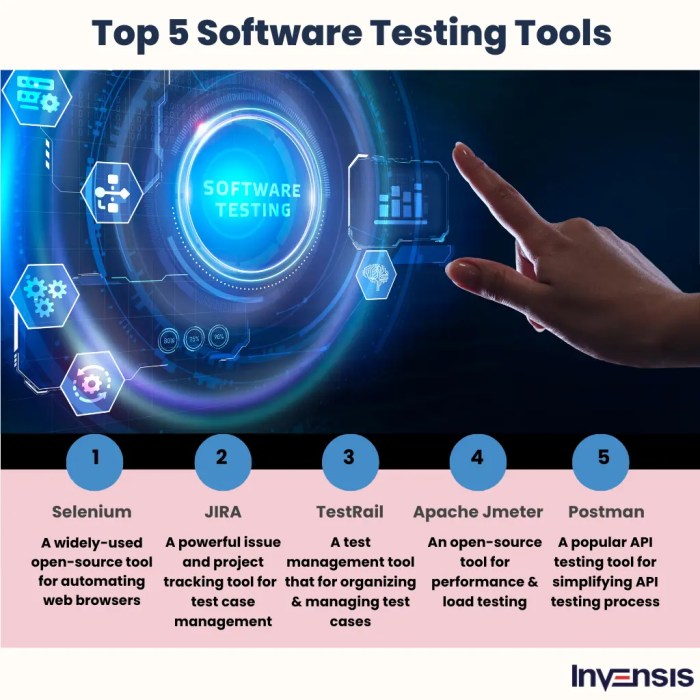
Choosing the right tools and technologies is crucial for effective software testing. Selecting appropriate instruments can streamline the process, improve test coverage, and ultimately lead to higher-quality software releases. The landscape of testing tools is vast, ranging from simple test management platforms to sophisticated automation frameworks. Understanding the strengths and weaknesses of each tool is key to making informed decisions that align with project needs and budget constraints.
Popular Software Testing Tools
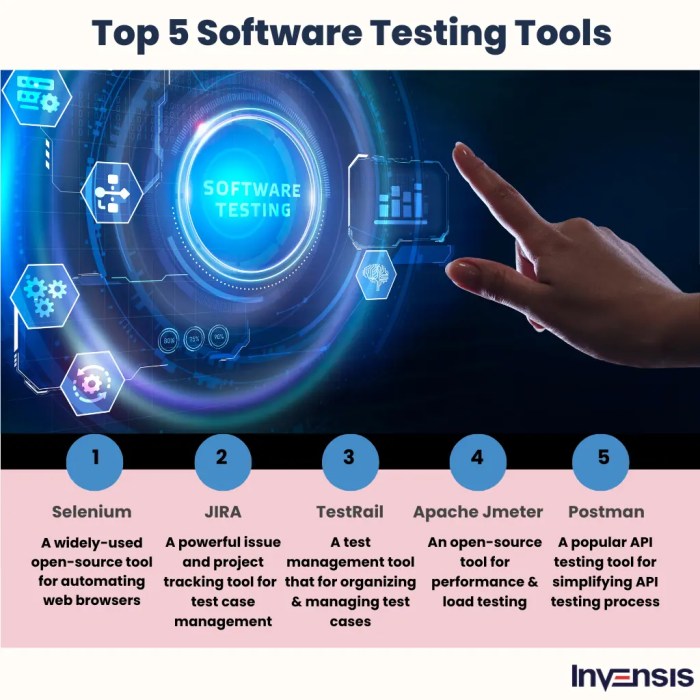
Various tools cater to different aspects of software testing. From functional testing to performance and security testing, a wide array of options exist. Some of the most widely used tools include Selenium for web application testing, JUnit for unit testing, LoadRunner for performance testing, and ZAP for security testing. Each tool excels in specific areas, and the best choice depends on the project’s requirements.
Benefits and Drawbacks of Specific Tools
Selenium, a popular open-source tool, offers robust automation capabilities for web applications. Its benefits include extensive documentation, a large community, and cost-effectiveness. However, its complexity can be a drawback for beginners, and setting up a robust test environment can be challenging. JUnit, a unit testing framework for Java, provides excellent support for writing and running unit tests. Its benefits include ease of use and a comprehensive ecosystem of tools.
Drawbacks include its limited application in UI testing compared to Selenium. LoadRunner, a performance testing tool, enables detailed analysis of application behavior under stress. Its advantages include comprehensive reporting and detailed metrics, while its cost can be a significant factor for smaller projects. Similarly, ZAP, a security testing tool, is known for its ease of use and detection of vulnerabilities.
However, it might not be suitable for complex or highly specialized security testing needs.
Comparative Analysis of Automation Testing Tools
A comparative analysis of automation testing tools reveals key differences in their functionalities, features, and strengths. Selenium, with its cross-browser compatibility, is a popular choice for web application testing. JUnit, focused on unit testing, is invaluable for ensuring code correctness. LoadRunner’s strength lies in simulating user load and identifying bottlenecks, while ZAP excels in vulnerability detection. The ideal tool depends on the type of testing required and the specific project needs.
Summary Table of Testing Tools
| Tool | Functionality | Strengths | Weaknesses |
|---|---|---|---|
| Selenium | Web application testing, automation | Open-source, cross-browser compatibility, large community | Complexity, setup challenges |
| JUnit | Unit testing | Ease of use, comprehensive ecosystem | Limited UI testing capabilities |
| LoadRunner | Performance testing | Comprehensive reporting, detailed metrics | Cost, complexity |
| ZAP | Security testing | Ease of use, vulnerability detection | Not suitable for highly specialized security needs |
The Role of Automation in Software Testing
Automation plays a pivotal role in modern software testing. It significantly reduces the time and effort involved in repetitive tasks, leading to faster test cycles and improved efficiency. Automated tests can be run frequently, increasing the rate of defect detection and ensuring faster feedback loops. Automation allows testers to focus on more complex and critical testing scenarios, freeing them from mundane tasks.
Furthermore, automation enhances test coverage, ensuring more comprehensive checks across different functionalities.
“Automation not only speeds up testing but also increases test coverage and reliability, ultimately leading to higher-quality software.”
Test Automation Strategies
Automating software testing is crucial for achieving faster release cycles, improved quality, and reduced costs. It allows for repetitive tasks to be performed by machines, freeing up testers to focus on more complex and strategic aspects of the testing process. This approach significantly increases the efficiency and effectiveness of the entire software development lifecycle. Successful test automation relies on a well-defined strategy tailored to the specific needs of the project.

Various Strategies for Automating Software Testing
Different approaches to test automation can be employed, depending on the project’s scope and requirements. These strategies range from simple scripting to complex frameworks, each with its own strengths and weaknesses. Key strategies include:
- Record and Playback: This strategy involves recording user interactions and then replaying them to verify functionality. It is relatively simple to implement, but the generated scripts are often brittle and require significant maintenance. This approach is often suitable for simple applications where the user interface is stable.
- -Driven Testing: This approach utilizes s to represent actions in the application, enabling more maintainable and reusable test scripts. s can be organized into tables, making it easier to modify and maintain test cases. This method improves the organization and maintainability of the test suite.
- Data-Driven Testing: This strategy separates test data from test scripts. This allows the same test script to be used with various datasets, enabling effective testing of different scenarios. It is particularly useful for regression testing and handling diverse input data.
- Model-Based Testing: This strategy utilizes models of the system to generate test cases automatically. The models define the expected behavior and interactions, making it suitable for complex systems with a well-defined structure. This approach is particularly valuable for testing intricate systems, as the generated tests are often more comprehensive and cover a wider range of possible scenarios.
Designing a Test Automation Strategy
A well-defined strategy ensures that test automation efforts are aligned with the project’s goals. This involves careful planning, resource allocation, and the selection of appropriate tools and techniques. The strategy should cover the following aspects:
- Identifying Test Cases for Automation: Focus on repetitive and high-impact tests that contribute significantly to the overall quality of the software. Prioritize test cases that have a high risk of failure and are executed frequently. This prioritization will ensure that automated tests provide the maximum return on investment.
- Selecting Appropriate Tools: Choose automation tools that align with the chosen testing strategy and the project’s technical infrastructure. Factors to consider include the programming language used in the application, the types of tests to be automated, and the team’s familiarity with the tools. Matching the tool to the task and the team’s skills is crucial for success.
- Defining Test Data and Environment: Establish clear guidelines for creating and managing test data and the required test environment setup. This includes the creation of a separate environment for testing that closely mirrors the production environment.
Test Script Examples for Different Testing Levels
Automated test scripts should be designed for different testing levels, including unit, integration, and system testing. The scripts should be written to verify specific aspects of the application’s functionality.
- Unit Tests: These tests focus on individual components of the software. They should verify that the components function correctly in isolation. For example, a unit test for a function that calculates the area of a rectangle might validate its output for different input values. Example using Python and unittest:
import unittest class RectangleArea(unittest.TestCase): def test_area_positive(self): self.assertEqual(area(5, 10), 50) def test_area_zero(self): self.assertEqual(area(0, 10), 0) - Integration Tests: These tests verify the interaction between different modules or components of the application. For example, an integration test might verify that a user can log in to an application and access specific features. The script would simulate user actions and verify expected responses.
- System Tests: These tests evaluate the entire system. They cover the complete flow of a use case, from beginning to end. For instance, a system test might verify the entire process of placing an order in an e-commerce application, including navigation, input validation, and payment processing.
Importance of Maintainability in Test Automation
Maintainable test scripts are crucial for long-term success. They ensure that automated tests remain relevant and functional as the application evolves. Key factors include clarity, modularity, and proper documentation. This helps in reducing the time spent on debugging and updating test cases as the software changes.
Solid software testing practices are crucial, but maintaining a robust business contacts database, like the care and feeding of your business contacts database , is equally important. After all, accurate and up-to-date data in your database is vital for effective marketing campaigns, just as thorough testing is vital for producing reliable software. This directly impacts the success of both your products and your business relationships.
So, focus on both to achieve lasting success.
Regression Testing with Automation Tools
Automation tools are invaluable for performing regression testing. They allow for the efficient execution of a large suite of tests after code changes. This helps ensure that new code changes do not introduce unintended errors in existing functionalities. Examples include using Selenium for web application regression testing, or using specialized testing frameworks for specific application types. This process can be automated to run automatically upon code changes.
Performance and Security Testing: Best Practices For Software Testing
Performance and security testing are crucial components of the software development lifecycle. Robust performance ensures a smooth user experience, while comprehensive security testing prevents vulnerabilities that could compromise sensitive data and application integrity. Failing to address these areas can lead to significant issues, including user frustration, data breaches, and reputational damage. Thorough testing is vital to create reliable, secure, and user-friendly software.
Importance of Performance Testing
Performance testing is essential for ensuring an application can handle anticipated user loads and maintain acceptable response times. Poor performance can lead to a negative user experience, impacting customer satisfaction and potentially driving away users. A well-performing application, on the other hand, enhances user engagement and fosters a positive perception of the product or service. Performance testing identifies bottlenecks and inefficiencies in the application architecture, enabling developers to optimize resource allocation and improve overall system performance.
Load Testing Process
Load testing simulates real-world user traffic patterns to assess an application’s response under various load conditions. The process typically involves gradually increasing the number of users accessing the application and monitoring key performance metrics like response time, throughput, and resource utilization. Identifying the point at which the application begins to degrade or fail is critical for understanding its limitations and implementing appropriate scaling strategies.
Monitoring tools and load testing frameworks are essential for effectively executing and analyzing load tests.
Solid software testing practices are crucial, ensuring quality and reliability. However, AI marketing, while promising, has its downsides, as discussed in this helpful article about disadvantages of AI marketing. Ultimately, thorough testing, focusing on edge cases and potential failures, remains the best approach to building robust and dependable software.
Stress Testing Process
Stress testing pushes the application beyond its expected load limits to determine its breaking point and identify potential failures. This involves subjecting the application to significantly higher loads than anticipated, often beyond the projected peak user traffic. Stress testing is crucial for identifying vulnerabilities in the application’s architecture and infrastructure. Understanding the application’s response under extreme conditions helps in planning for unexpected spikes in user activity and ensures the application remains stable under high pressure.
Importance of Security Testing
Security testing is vital for identifying vulnerabilities in an application that could be exploited by malicious actors. Vulnerabilities can range from simple coding errors to sophisticated exploits, potentially leading to data breaches, unauthorized access, and financial losses. Proactive security testing is essential to proactively identify and mitigate these risks.
Examples of Security Vulnerabilities and Prevention
- SQL Injection: This vulnerability occurs when malicious SQL code is inserted into an application’s input fields. Prevention involves parameterized queries and input validation.
- Cross-Site Scripting (XSS): XSS attacks inject malicious scripts into web pages viewed by other users. Input validation and output encoding are key preventative measures.
- Cross-Site Request Forgery (CSRF): CSRF attacks trick users into performing unwanted actions on a website. Prevention involves using anti-CSRF tokens and secure session management.
These are just a few examples; the range of potential vulnerabilities is vast. Continuous learning and adaptation to emerging threats are essential for effective security testing.
Comparison of Performance and Security Testing Methods
| Testing Method | Performance Testing | Security Testing |
|---|---|---|
| Load Testing | Simulates expected user load to assess response time and stability. | N/A |
| Stress Testing | Exceeds expected load to determine breaking point and identify failures. | N/A |
| Security Scanning | N/A | Identifies vulnerabilities using automated tools and manual analysis. |
| Penetration Testing | N/A | Simulates real-world attacks to assess the application’s resilience. |
| Performance Profiling | Analyzes code to pinpoint performance bottlenecks. | N/A |
| Vulnerability Scanning | N/A | Automatically identifies known vulnerabilities. |
This table provides a basic overview of various methods. Choosing the appropriate methods depends on the specific needs and context of the application.
Continuous Integration and Continuous Testing (CI/CD)
CI/CD pipelines have revolutionized software development, enabling faster delivery cycles and more frequent releases. By automating the build, testing, and deployment process, teams can significantly reduce the time it takes to get new features and bug fixes into the hands of users. This streamlined approach fosters a culture of continuous improvement and responsiveness to evolving market demands.
The core principle of CI/CD is to integrate code changes frequently and automatically. This necessitates the integration of testing at each stage of the process. Automated tests ensure that new code doesn’t introduce regressions and that the system continues to function as expected. This approach significantly reduces the risk of errors and allows developers to identify and fix problems earlier in the development cycle, thus saving time and resources.
Integration of Testing in CI/CD Pipelines
Testing is no longer an isolated phase in the software development lifecycle; it’s woven into the fabric of CI/CD. Integration is achieved through automated tests executed at various stages of the pipeline, ensuring that code quality and functionality are maintained throughout the process. These tests include unit tests, integration tests, and end-to-end tests, all designed to identify potential issues early on.
Role of Automated Testing in CI/CD
Automated testing plays a pivotal role in CI/CD pipelines. Automated tests are executed automatically at each commit, build, and deployment stage, enabling rapid feedback on the quality of the code. This constant feedback loop allows teams to quickly identify and address defects, preventing them from propagating through the pipeline and affecting later stages. The automation not only accelerates the process but also minimizes human error, leading to more reliable software releases.
Demonstration of CI/CD Improving the Software Development Lifecycle
CI/CD pipelines enable teams to shorten the time-to-market for new features. By automating the testing process, teams can identify bugs and regressions much earlier in the development cycle. This allows for faster resolution and prevents costly issues from reaching later stages. Reduced time-to-market often translates to higher customer satisfaction and quicker adaptation to changing market conditions.
Importance of Early Testing in the Development Cycle
Early testing in the development cycle is crucial for minimizing the impact of errors and bugs. By integrating testing at each stage of the CI/CD pipeline, teams can quickly identify and address issues before they escalate into more complex and costly problems. This early detection significantly reduces the likelihood of defects being introduced into production, ensuring a more stable and reliable software product.
CI/CD Pipeline with Embedded Testing Stages
The diagram below illustrates a CI/CD pipeline with embedded testing stages. Each stage represents a step in the process, with automated tests performed at each stage to ensure code quality and functionality.
“`
+—————–+ +—————–+ +—————–+ +—————–+
| Code Commit | –> | Build & Test | –> | Testing (Unit)| –> | Testing (Integration)|
+—————–+ +—————–+ +—————–+ +—————–+
^ ^
| |
+——————————————————————–+
|
v
+—————–+
| Deployment |
+—————–+
“`
The diagram shows how code changes are committed, built, and tested at each stage. Unit and integration tests are performed before deployment to ensure that the code functions as expected. This approach helps identify problems early, enabling faster resolution and more reliable software.
Outcome Summary
In conclusion, implementing best practices for software testing is vital for successful software development. From meticulous planning and test case design to robust environment management and efficient defect resolution, each stage plays a crucial role in building reliable and user-friendly applications. This comprehensive guide provides a framework for understanding and applying these practices, leading to a more efficient and effective development process.