Warning what you need to know to avoid ada and web accessibility lawsuits – Warning: what you need to know to avoid ADA and web accessibility lawsuits. Navigating the complex world of web accessibility can feel daunting, but understanding the basics is key to avoiding costly legal battles. This post delves into the crucial aspects of ADA compliance, highlighting common pitfalls and practical steps to ensure your website is accessible to everyone.
From understanding the legal requirements to implementing effective solutions, we’ll equip you with the knowledge to build a truly inclusive online experience.
This comprehensive guide explores the critical principles of web accessibility, focusing on perceivability, operability, understandability, and robustness. We’ll identify common accessibility barriers and offer practical strategies for remediation, along with a detailed look at the legal ramifications of non-compliance. The aim is to empower website owners, developers, and designers to proactively build accessible websites that comply with ADA standards.
Understanding ADA Compliance Basics: Warning What You Need To Know To Avoid Ada And Web Accessibility Lawsuits
The Americans with Disabilities Act (ADA) is a landmark civil rights law that prohibits discrimination based on disability. While often associated with physical access to buildings, the ADA also mandates accessibility for digital content, including websites. Failing to comply can lead to costly lawsuits and reputational damage. Understanding the fundamental principles of ADA compliance is crucial for website owners and developers.This section delves into the essentials of ADA compliance for websites, covering the core principles, types of disabilities, and actionable steps to ensure your site is accessible.
A well-designed and accessible website benefits all users, regardless of their abilities.
The Americans with Disabilities Act (ADA) and Web Accessibility
The Americans with Disabilities Act (ADA) is a comprehensive civil rights law that aims to eliminate discrimination against individuals with disabilities. It covers a wide range of areas, including employment, public accommodations, and transportation. The ADA’s application to the digital realm, specifically web accessibility, ensures equal access to information and services for people with disabilities. Web accessibility is an integral component of the broader ADA compliance framework.
Key Principles of Web Accessibility
Web accessibility guidelines, rooted in the core principles of perceivability, operability, understandability, and robustness (POUR), are critical for creating inclusive digital experiences.
- Perceivability: Information and user interface components must be presentable to users in ways they can perceive. This includes providing alternative text for images, captions for videos, and transcripts for audio content.
- Operability: User interface components and navigation must be operable. This means ensuring that users can interact with the website using a variety of input methods, such as keyboards, screen readers, and assistive technologies.
- Understandability: Information and the operation of user interface components must be understandable. Clear and concise language, logical structure, and predictable navigation are key to ensuring understandability.
- Robustness: Content must be robust enough that it can be interpreted reliably by a wide variety of user agents, including assistive technologies. This involves using semantic HTML and avoiding proprietary technologies.
Types of Disabilities Requiring ADA Compliance
ADA compliance necessitates consideration of diverse disabilities. These include visual impairments, auditory impairments, cognitive impairments, motor impairments, and neurological conditions. Understanding the various ways these disabilities might affect user interaction is vital for creating accessible designs.
Major Components of ADA Compliance for Websites
The following table Artikels the major components of ADA compliance for websites, detailing their description, examples, and enforcement mechanisms.
| Component | Description | Example | Enforcement |
|---|---|---|---|
| Alternative Text (Alt Text) | Provides textual descriptions of images and other non-text content for screen readers and other assistive technologies. | An image of a person smiling. Alt text: “Smiling person.” | Failure to provide adequate alt text can result in legal action. |
| Captions and Transcripts | Provides captions for videos and transcripts for audio content, allowing users with hearing impairments to understand the information. | A video of a presentation. Captions provide the spoken words in real-time. | Lack of captions or transcripts can lead to ADA violations. |
| Keyboard Navigation | Ensuring that all website functionality is accessible through a keyboard, enabling users with motor impairments to interact with the site. | All interactive elements (buttons, links, forms) can be accessed and manipulated using only the keyboard. | Inability to navigate via keyboard is a violation of ADA principles. |
| Clear and Concise Language | Employing plain language, avoiding jargon, and using headings and structure to enhance comprehension for users with cognitive or learning disabilities. | Clear, simple, and straightforward instructions for filling out a form. | Vague or overly complex content may violate ADA requirements. |
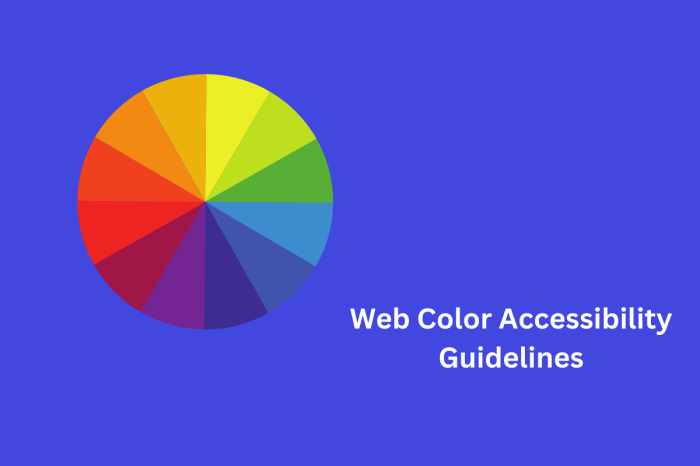
| Color Contrast | Ensuring sufficient color contrast between text and background colors to allow users with low vision to distinguish elements on the page. | Text that has a contrast ratio of 4.5:1 against its background. | Low contrast ratios can result in ADA violations. |
Identifying Potential Accessibility Issues
Navigating the digital world shouldn’t leave anyone behind. Understanding the potential accessibility barriers on websites is crucial for creating inclusive online experiences. This section delves into common obstacles and how they affect various user groups. By proactively identifying these issues, website owners can ensure their platforms are usable for everyone.
Common Accessibility Barriers
Websites often present challenges for users with disabilities. Insufficient color contrast, missing alt text for images, and non-keyboard navigable elements are prime examples of such barriers. These seemingly minor details can significantly impede access for individuals with visual impairments, motor disabilities, and cognitive differences.
Insufficient Color Contrast
Color contrast is fundamental for readability. Text that is not sufficiently contrasting against its background can be extremely difficult to discern, especially for users with low vision or color blindness. For instance, light-grey text on a light-blue background is practically invisible. Using a tool like WebAIM’s color contrast checker can help to assess and improve color contrast ratios.
This ensures that text and other interactive elements are distinguishable against their surrounding areas.
Missing Alt Text for Images
Alt text, or alternative text, provides a textual description of images. Screen readers, used by visually impaired users, rely on this text to convey the content of an image. Without proper alt text, screen readers will skip over images, potentially omitting vital information or context. Imagine a website with an image of a button indicating where to proceed.
Without alt text, screen reader users won’t know the button exists or its function.
Non-Keyboard Navigable Elements
Websites that rely solely on mouse clicks or other pointer input can exclude users who primarily navigate with a keyboard. Complex interactions, forms, or interactive elements that cannot be accessed using only a keyboard are inaccessible. Consider a website with a crucial function triggered by a button that only responds to mouse clicks. This effectively excludes keyboard-only users.
Keyboard navigation is essential to provide a seamless experience for everyone.
Examples of Problematic Website Elements
Various website elements can pose accessibility challenges. Pop-up windows that don’t have keyboard controls, dynamically updating content without proper signaling, and poorly designed interactive forms can all create usability issues for users with disabilities. Moreover, elements that depend heavily on mouseovers or have confusing navigation structures hinder the experience of users with limited motor skills.
Knowing the crucial elements to avoid ADA and web accessibility lawsuits is paramount for any business, especially professional service firms like SEO and the professional services firm. They need to ensure their websites are usable for everyone, from those with disabilities to those with slower internet connections. Following best practices in website design and content accessibility will not only prevent costly lawsuits but also attract a wider audience.
This is critical for all businesses, large or small.
Impact on Different User Groups
Accessibility issues affect diverse user groups in varying ways. Visual impairments lead to difficulty in discerning visual cues; cognitive impairments may make it challenging to understand complex interactions; and motor impairments limit the ability to manipulate elements on the page. For example, a user with a visual impairment may struggle to understand the context of a graphic without descriptive alt text.
Comparison of Accessibility Issues
| Issue | Description | Impact | Example |
|---|---|---|---|
| Insufficient Color Contrast | Text and background colors do not have a sufficient contrast ratio. | Difficulty in reading text, especially for users with low vision or color blindness. | Light gray text on a light blue background. |
| Missing Alt Text | Images lack descriptive alternative text. | Screen reader users cannot understand the image’s content or function. | An image of a “submit” button without alt text. |
| Non-Keyboard Navigable Elements | Elements require mouse clicks but are not accessible via keyboard. | Users relying on keyboards cannot interact with the element. | A pop-up window with no keyboard controls. |
Avoiding Web Accessibility Lawsuits
Navigating the world of web accessibility can feel like navigating a minefield. Misunderstandings about compliance can lead to costly lawsuits and reputational damage. This section dives deep into best practices, strategies, and tools to proactively build accessible websites and avoid potential legal troubles.Understanding the legal implications of ADA compliance is crucial. Failing to meet accessibility standards can result in significant penalties and legal fees, not to mention the negative impact on your brand and user experience.
This section will help you identify and address potential issues before they escalate.
Best Practices for Creating Accessible Web Content
Creating accessible web content isn’t just about ticking boxes; it’s about designing with users in mind. A proactive approach that prioritizes accessibility throughout the design and development process is essential. This includes considering users with disabilities from the outset. These best practices are foundational to building a truly inclusive web experience.
- Prioritize perceivable content: Use sufficient color contrast between text and background elements, provide alternative text for images, and ensure proper use of headings and labels. This is vital for users with visual impairments.
- Ensure operable functionality: Design interfaces that can be easily navigated with a keyboard, and provide clear instructions and feedback for user actions. This accommodates users who may rely on assistive technologies.
- Promote understandable content: Use clear and concise language, avoid jargon, and structure content logically. Provide context for different elements to enhance user comprehension.
- Develop robust content: Ensure content remains usable even with assistive technologies or changes in user agents. Use semantic HTML, avoid relying on styles alone, and create adaptable content.
Strategies for Ensuring Website Elements are Perceivable, Operable, Understandable, and Robust (POUR)
The POUR principles are the cornerstone of web accessibility. Understanding and implementing these principles are key to building compliant and user-friendly websites.
- Perceivable: Ensure all content is presented in a way that can be perceived by users. This includes using sufficient color contrast, providing alternative text for images, and using proper heading structures.
- Operable: Design interfaces that can be operated easily by users. This includes using keyboard navigation, providing clear instructions and feedback, and avoiding complex interactions.
- Understandable: Ensure that the content is clear and easy to understand. This includes using clear language, providing context, and using logical structure.
- Robust: Design content that can be interpreted reliably by a wide variety of user agents, including assistive technologies. This includes using semantic HTML and avoiding relying solely on CSS for presentation.
Conducting Thorough Accessibility Audits and Testing
Regular accessibility audits and testing are crucial for identifying and fixing accessibility issues early in the development cycle. This proactive approach helps avoid costly legal issues and improves the overall user experience.
- Automated Testing Tools: Employ automated tools to scan your website for common accessibility violations. These tools can help identify issues like insufficient color contrast or missing alt text. Examples include WAVE, Axe, and Accessibility Insights.
- Manual Testing: Complement automated tools with manual testing, which involves a thorough review of your website by an accessibility expert. Manual testing helps discover issues that automated tools might miss.
- User Testing: Incorporate user testing with individuals with disabilities to gain valuable insights into how they interact with your website. This is a valuable way to identify issues in the user experience.
Tools and Resources for Assessing and Improving Web Accessibility
A variety of tools and resources are available to support your efforts in achieving web accessibility. These resources help in assessing existing issues and implementing solutions.
Knowing the ins and outs of ADA and web accessibility compliance is crucial for avoiding costly lawsuits. While Salesforce deals can boost your sales process, like those detailed in this article about salesforce deals boost sales process , it’s equally important to ensure your website and digital platforms are ADA-compliant. Ignoring these legal requirements can lead to significant financial penalties and reputational damage.
- WCAG (Web Content Accessibility Guidelines): The WCAG provides a comprehensive set of guidelines for creating accessible web content. It’s the most widely accepted standard for web accessibility.
- WAVE Web Accessibility Evaluation Tool: WAVE is a free, automated tool that helps identify accessibility issues on web pages. It provides helpful feedback to improve accessibility.
- Accessibility Insights: Accessibility Insights is a browser extension that provides real-time feedback on the accessibility of web pages.
Specific Code Changes that Improve Accessibility, Warning what you need to know to avoid ada and web accessibility lawsuits
Implementing the following code changes can significantly enhance accessibility.
- Adding `alt` attributes to images: Providing descriptive alternative text for images is essential for users who cannot see them.
- Using semantic HTML elements: Using appropriate HTML elements like `
` to `
` for headings, `
`, ` - Ensuring sufficient color contrast: Use tools like WebAIM’s color contrast checker to ensure sufficient contrast between text and background colors.
- Implementing ARIA attributes: Using ARIA attributes for dynamic content, such as interactive elements, helps assistive technologies interpret the content correctly.
Practical Steps for Website Remediation

Fixing accessibility issues on a website isn’t a one-time fix; it’s an ongoing process of improvement and adaptation. This involves understanding the existing accessibility issues, implementing solutions, and consistently evaluating the results. A proactive approach is crucial to avoid costly lawsuits and ensure a positive user experience for everyone.Website remediation involves more than just ticking boxes; it’s about creating a truly inclusive online environment.
This requires a thorough understanding of the user needs and challenges, and applying those principles throughout the entire website development and maintenance process.
Implementing Fixes to Existing Accessibility Issues
Addressing existing accessibility issues requires a systematic approach. Begin by thoroughly auditing your website to identify specific problems. This involves examining the code, content, and design elements for compliance with accessibility guidelines. For example, images without alternative text, or insufficient color contrast can be easily identified and fixed during this audit. Tools and resources designed for automated testing can help you to accelerate this process.
Detailed reporting helps to pinpoint the specific elements that require attention, making remediation more efficient and focused.
Implementing Accessibility Standards into Design and Development Processes
Building accessibility into your website from the ground up is far more efficient and cost-effective than trying to retrofit it later. This involves incorporating accessibility principles into every stage of the design and development lifecycle. For instance, ensure the website follows the Web Content Accessibility Guidelines (WCAG) throughout the process. This means using semantic HTML, providing clear and concise labels for all interactive elements, and employing sufficient color contrast.
Knowing what you need to avoid ADA and web accessibility lawsuits is crucial. Understanding user experience is key, but also knowing which keywords your website ranks for, like how to find out which keywords your website ranks for , helps you see if your site is attracting the right audience. This is directly related to accessibility; if your site isn’t optimized for the right search terms, you might be missing out on crucial demographics, and thus, increasing the chance of violating ADA guidelines.
Therefore, a comprehensive approach to both search engine optimization and user experience is vital.
Furthermore, incorporating user testing and feedback loops throughout development helps to ensure a website that functions well for people with diverse needs.
Improving Website Navigation and User Interface Design for Diverse Needs
Effective website navigation is crucial for usability. It’s important to ensure that users with different abilities can easily find their way around your site. Clear and concise labeling of links and buttons, along with alternative navigation methods, will help users with visual impairments or motor limitations. Consider providing keyboard-only navigation options, and ensure that interactive elements are operable without a mouse.
Also, designing with clear visual hierarchy, and predictable layouts enhances usability for everyone.
Remediating a Website for Accessibility: A Flowchart
The process of remediation can be visualized with the following flowchart:

start --> check_accessibility (audit existing website for compliance) --> fix_issues (implement solutions to identified problems) --> test_accessibility (verify compliance) --> success (website meets accessibility standards)
This flowchart Artikels a simplified, iterative process. Regular audits and testing, as well as periodic reviews, ensure the website remains accessible as the site content and technology evolve.
Legal Considerations and Risk Mitigation
Navigating the legal landscape surrounding web accessibility can feel daunting. Understanding the potential consequences of non-compliance is crucial for proactive risk management. Knowing the factors that trigger lawsuits, and how to mitigate those risks, are key to protecting your website and your business.
Failing to adhere to ADA standards can lead to significant financial and reputational damage. A lawsuit can result in costly legal fees, settlements, and even court-ordered changes to your website. Furthermore, negative publicity from such cases can severely harm your brand image and customer trust.
Potential Legal Consequences of Non-Compliance
Non-compliance with ADA standards can result in various legal repercussions. These can range from fines and penalties to court-ordered remediation. The severity of the consequences often depends on the nature and extent of the accessibility violations.
Factors Contributing to the Likelihood of a Lawsuit
Several factors increase the likelihood of an ADA accessibility lawsuit. These include:
- Repeated user complaints and feedback demonstrating significant usability issues.
- Lack of comprehensive accessibility testing and evaluations. A complete absence of any testing process drastically increases the risk of a lawsuit.
- Failure to promptly address reported accessibility issues, especially when the issue is well-documented and readily reproducible.
- The existence of a pattern of accessibility violations across different parts of the website.
- Inadequate documentation of accessibility efforts and remediation processes.
Strategies for Minimizing the Risk of Accessibility Lawsuits
Proactive measures can significantly reduce the risk of accessibility lawsuits. These include:
- Conducting thorough accessibility audits and testing regularly using automated tools and manual reviews. These evaluations should be performed before launch and on an ongoing basis.
- Developing and implementing a comprehensive accessibility policy and plan that Artikels specific procedures for addressing accessibility issues.
- Providing staff training on accessibility best practices, ensuring they understand the importance of compliance and how to identify and report issues.
- Establishing a clear communication channel for users to report accessibility problems. This channel should be easily accessible and user-friendly.
- Developing a system for tracking and managing accessibility issues. A well-organized system can help prioritize and resolve problems quickly.
Importance of Maintaining Comprehensive Documentation
Detailed documentation of accessibility efforts is crucial. This documentation serves as evidence of compliance and a roadmap for remediation.
- Records of all accessibility testing procedures, including dates, findings, and resolutions. This detailed history of remediation is crucial in case of a legal dispute.
- Documentation of training materials provided to staff on accessibility standards and best practices.
- Records of user feedback and complaints regarding accessibility issues. This helps demonstrate the organization’s responsiveness and proactive approach.
- Detailed remediation steps and implementation dates for each identified accessibility issue. This ensures a traceable process for resolving identified problems.
Examples of Successful Strategies for Resolving Accessibility Issues Before Litigation
Proactive measures can help prevent accessibility lawsuits. Here are some examples of how organizations have successfully addressed accessibility concerns:
- Implementing a user-friendly feedback mechanism. Users should have multiple avenues for communicating accessibility issues.
- Actively seeking user input during the design and development phases to identify and address accessibility problems early on. Involving users during the design stage is a crucial preventative step.
- Working with accessibility experts to conduct comprehensive audits and provide guidance. Using outside experts is a valuable strategy.
- Utilizing readily available resources and tools to enhance the accessibility of the website. Taking advantage of readily available resources and tools significantly reduces the need for expensive or specialized support.
Building an Accessible Website Culture
Creating an accessible website isn’t a one-time project; it’s an ongoing commitment that requires a shift in mindset. This involves integrating accessibility into every stage of website development, from initial design to ongoing maintenance. It’s about fostering a culture where accessibility is valued and prioritized by everyone involved.
Accessibility isn’t just about adhering to legal requirements; it’s about creating a website that is usable and enjoyable for everyone, regardless of their abilities. This proactive approach will prevent costly lawsuits and improve the user experience for a wider audience.
Importance of Accessibility in Design Thinking
Accessibility should be considered a core principle during the initial design phase, not an afterthought. Integrating accessibility into the design process ensures that the website is usable from the start, avoiding significant rework later. This proactive approach minimizes the need for costly and time-consuming modifications down the line. The design team should understand the various types of disabilities and how they affect website navigation and content consumption.
Roles of Developers, Designers, and Content Creators
Effective collaboration among developers, designers, and content creators is crucial for building accessible websites. Developers need to implement accessible code, designers need to create visually appealing and navigable interfaces, and content creators must ensure that text is readable and understandable. Clear communication and shared understanding of accessibility guidelines are key.
- Developers should use semantic HTML, ARIA attributes, and provide alternative text for images to make the website usable for assistive technologies. The code structure should mirror the information hierarchy and be clear and concise.
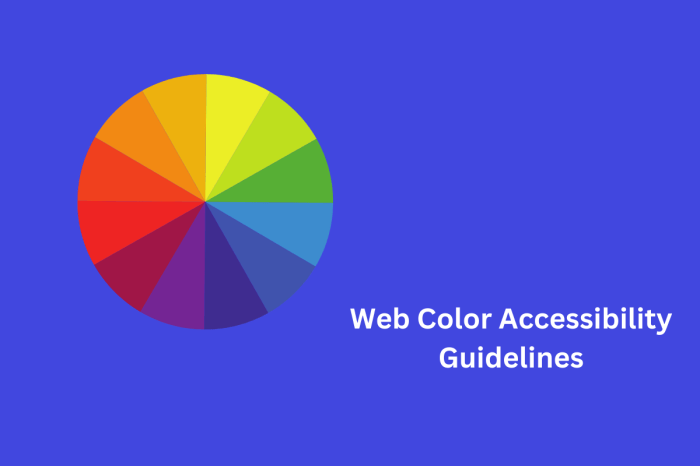
- Designers should consider visual elements like color contrast, font sizes, and spacing to make the website readable and navigable for users with visual impairments. Using color palettes that have sufficient contrast is essential to ensure that users with low vision can distinguish text from the background.
- Content creators should write clear, concise, and descriptive content, ensuring that it’s understandable to a wide range of users. They should also ensure that the text is readable and easy to understand by avoiding overly technical language or jargon.
Best Practices for Ongoing Accessibility Maintenance
Regular maintenance and updates are essential to ensure that a website remains accessible. This includes checking for compliance with evolving accessibility standards, conducting periodic audits, and making necessary updates to the website. This proactive approach ensures that the website remains usable for users with disabilities.
- Regular Audits: Conducting periodic audits, preferably automated ones, is crucial to identify potential accessibility issues and make necessary adjustments. These audits should focus on common issues like insufficient color contrast, missing alternative text for images, and lack of proper keyboard navigation.
- Staying Updated: The accessibility landscape is constantly evolving. Staying informed about the latest guidelines and standards is vital. WebAIM, the Web Content Accessibility Guidelines (WCAG), and similar resources can help.
- User Feedback: Actively seeking and responding to user feedback, especially from users with disabilities, is invaluable. This provides valuable insights and opportunities for improvement.
Resources for Continuing Education
Numerous resources provide guidance and information on accessibility standards. Utilizing these resources for ongoing education is essential for maintaining a strong accessibility culture. Staying updated with best practices is crucial.
- Web Content Accessibility Guidelines (WCAG): The WCAG provides a comprehensive set of guidelines for creating accessible web content. Understanding and applying these guidelines is vital.
- WebAIM: WebAIM offers various resources, including tools and tutorials, to assist web developers and designers in creating accessible websites. This website offers valuable insights and tools.
- Accessible Design Courses: Various online and in-person courses provide in-depth training on accessible design principles. Investing in these courses can enhance the knowledge and skills of team members.
Checklist for Ongoing Website Accessibility Maintenance
A structured checklist helps ensure consistent and thorough accessibility maintenance. Regular reviews and adherence to the checklist will keep the website accessible. This checklist should be part of the ongoing maintenance process.
- Regular code review: Review code for compliance with accessibility guidelines. Focus on semantic HTML, ARIA attributes, and alternative text.
- Automated accessibility tools: Utilize automated tools to identify potential accessibility issues.
- Manual testing: Test website functionality with assistive technologies, such as screen readers.
- User feedback collection: Collect feedback from users with disabilities to identify areas for improvement.
- Regular updates: Update the website to comply with evolving accessibility standards.
Epilogue
In conclusion, understanding and implementing ADA web accessibility standards is not just a legal obligation, but a moral imperative. By prioritizing inclusivity and considering the diverse needs of all users, you create a more equitable and accessible online experience for everyone. This guide provided a roadmap to navigate the complexities of ADA compliance, offering practical strategies and actionable steps.
Remember, proactively addressing accessibility issues is not just good practice; it’s essential for long-term success and a positive user experience.